
Installing applications from the Google Play Store usually takes only one tap. However, many casino, card, and earning apps are not available through traditional app stores and are instead distributed as APK files.
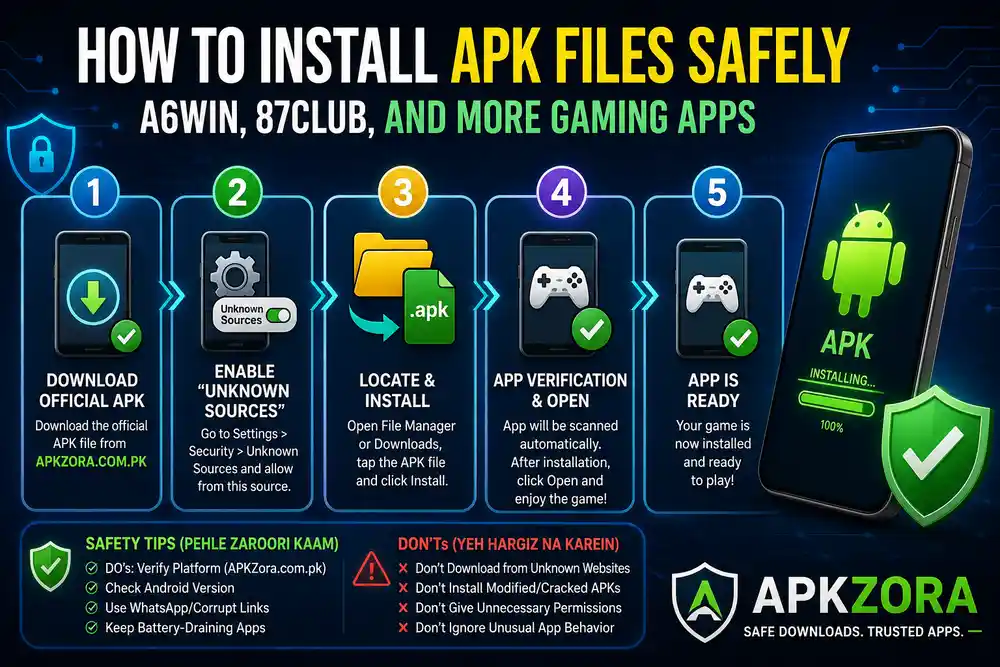
If you are installing an APK file for the first time, your Android device may display messages such as “Blocked”, “Unknown Sources”, or “Install Unknown Apps” due to built-in security settings.
At APKZora, we regularly publish guides and reviews to help users install their favorite casino and earning apps safely and easily. This guide explains the complete installation process step by step so you can install APK files without any problems.
Download the APK File from a Trusted Source-APKZora
The first and most important step is downloading the APK file from a trusted platform.
- Visit APKZora and open the page of your preferred application.
- Click the Download APK button.
- Wait until the file has finished downloading completely.
Some browsers may display a warning because the file is being downloaded from outside the Google Play Store. Before proceeding, always make sure the source is trustworthy and verified.
Enable “Install Unknown Apps”
Android devices block third-party app installations by default to protect users from unknown applications.
To enable APK installation:
- Open Settings on your Android phone.
- Navigate to Security, Privacy, or Apps settings.
- Find Install Unknown Apps or Unknown Sources.
- Select the browser or file manager you used for downloading the APK.
- Enable Allow from this Source.
The location of these settings may vary depending on your Android version and device manufacturer.
Locate and Install the APK File
Once the download is complete:
- Open your File Manager or Downloads folder.
- Find the downloaded APK file.
- Tap on the file.
- Press the Install button.
Most APK files are installed within a few seconds.
Step 4: Verify and Open the Application
Some Android devices from manufacturers such as Xiaomi, OPPO, Vivo, and Samsung include built-in security scanners that automatically scan newly installed applications.
After installation is complete:
- Tap Open to launch the application.
- You can also open it later from your home screen or app drawer.
Your application is now ready to use.
Common Installation Errors and Solutions
Error: “App Not Installed”
This problem usually occurs because:
- Your device storage is full.
- An older version of the same app is already installed.
- The application is not compatible with your device.
Solution
- Free up storage space.
- Remove the older version of the app.
- Download the latest compatible version from APKZora and try again.
Error: “Parse Error” or “Problem Parsing the Package”
This error generally means:
- The APK file did not download completely.
- The file became corrupted during download.
- The app is not compatible with your Android version.
Solution
Delete the file and download it again from APKZora or another trusted source.
Safety Tips Before Installing Any APK File
✅ Recommended Practices
- Download APK files only from trusted websites such as APKZora.
- Check Android version requirements before installation.
- Keep your device updated with the latest security updates.
- Review app permissions before installing.
❌ Avoid These Mistakes
- Do not install APK files from unknown or suspicious websites.
- Avoid unofficial or modified versions of applications.
- Never allow unnecessary permissions.
- Remove apps that show unusual behavior or excessive battery usage.
Why Do Some Apps Use APK Files?
Many casino and earning applications distribute their latest versions through APK files because they may not be available through traditional app stores or because direct distribution allows faster updates and broader device compatibility.
APK installation gives users access to the latest versions and features without waiting for store updates.
Conclusion
Installing APK files on Android devices is simple when the correct steps are followed. By downloading applications from trusted sources and following basic security practices, users can enjoy a safer and smoother installation experience.
At APKZora, our goal is to provide accurate download guides, honest app reviews, and useful information to help users make informed decisions when installing casino and earning applications.
Whether you are downloading your first APK or updating an existing app, following these steps will help ensure a safe and hassle-free experience.